See the game before you go.
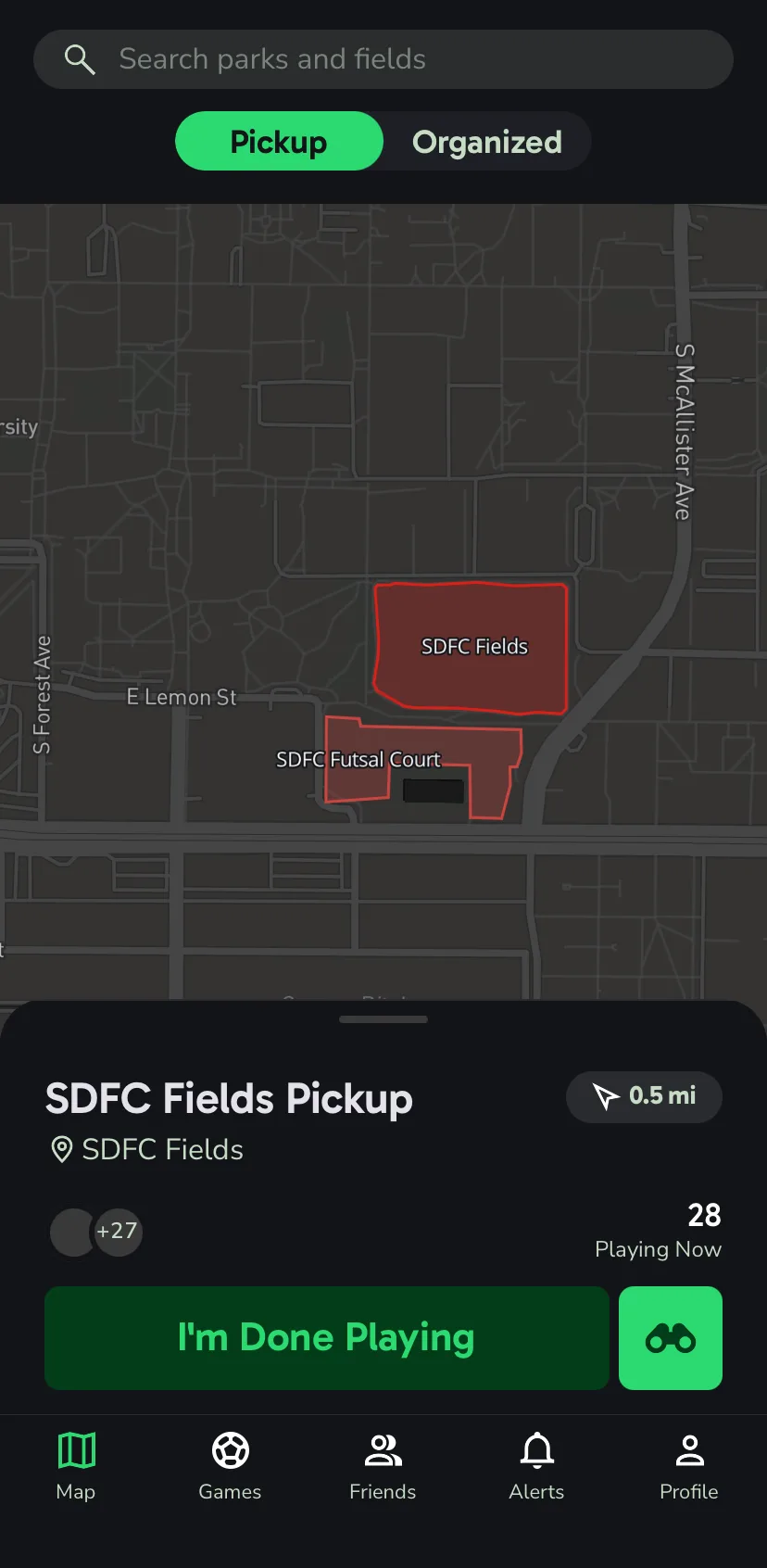
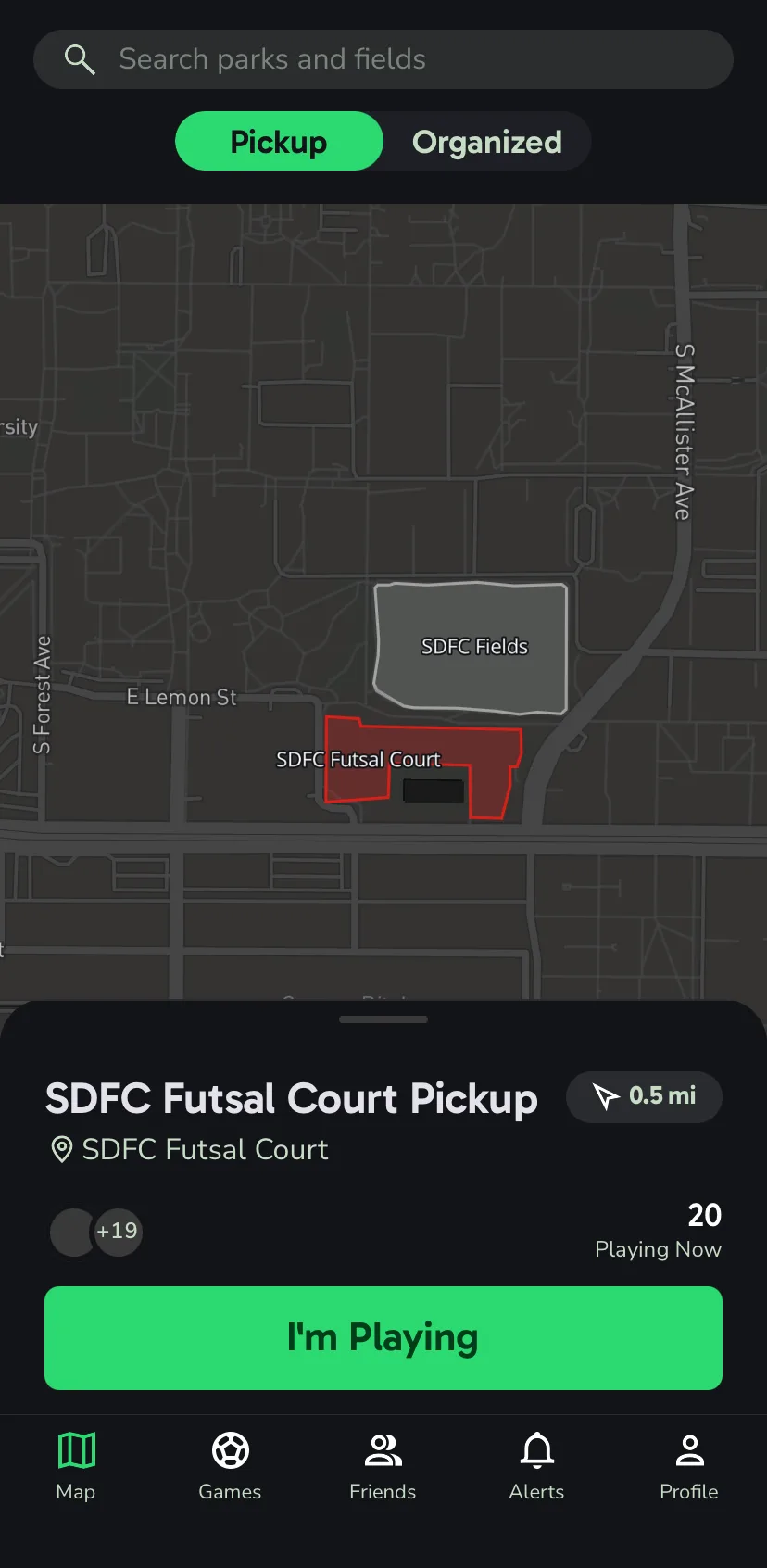
Every field in town sits on one map. When players check in, the field lights up, from quiet gray all the way to bright red when it's packed. You'll know if there's a run going before you lace up.
How it works.
- 1
Open the map
Every field near you, on one screen.
- 2
Watch it glow
Fields get brighter as more players check in.
- 3
Tap a field
See the count, who's there, and how far it is.
- 4
Tap I'm Playing
You're on the board, and the field counts you.
The details.
Live player counts
Every field shows how many people are playing right now, updated as players check in and out.
Friends first
The avatar stack on each field puts your friends up front, so a familiar face jumps out.
Activity and trend
An activity level and a trend line tell you whether a field has been filling up or winding down over the last hour.
Lights and ground
Each field lists its lighting and its surface, so you know if it's grass, turf, or a court before you pick your cleats.
Directions
One tap hands the field off to Apple Maps or Google Maps.
Two-hour check-ins
A check-in lasts two hours. When it's about to run out, Joga asks if you're still playing.
Automatic check-out
Allow background location and Joga checks you out when you leave the park. Skip it and everything else still works.
Private field notes
Some fields need a student ID or a guest pass. Joga gives you a heads-up before you make the drive.
A heat map for pickup.
The color of a field comes from how many people are on it. An empty field is a pale gray. As players check in it warms toward red, and at twenty players it hits full red.
In a quiet part of town, the busiest field you can see becomes the red one and the rest scale against it, so the map still points you somewhere useful on a slow Tuesday night.